Recently, I have seen my servers overloaded (High CPU Usage) and I looked into the apache logs and I see the access logs from ChatGPT Bot aka GPTBot/1.0 and Bytedance Bots aka Bytespider.
You can check the top 10 IPs that access your server via the following BASH command:
#!/bin/bash

awk '{a[$1]++}END{for(v in a)print v, a[v]}'  /var/log/apache2/*.log* | sort -k2 -nr | head -10
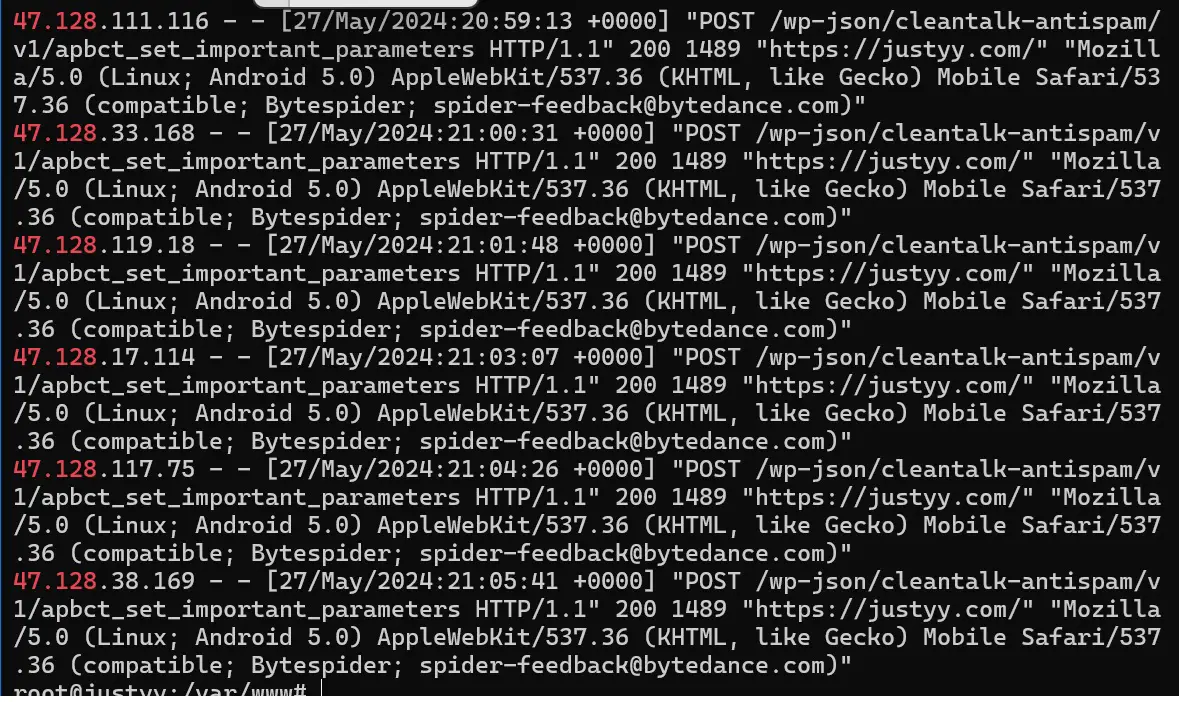
Bytedance Bots (Bytespider) Access Log (Apache2)
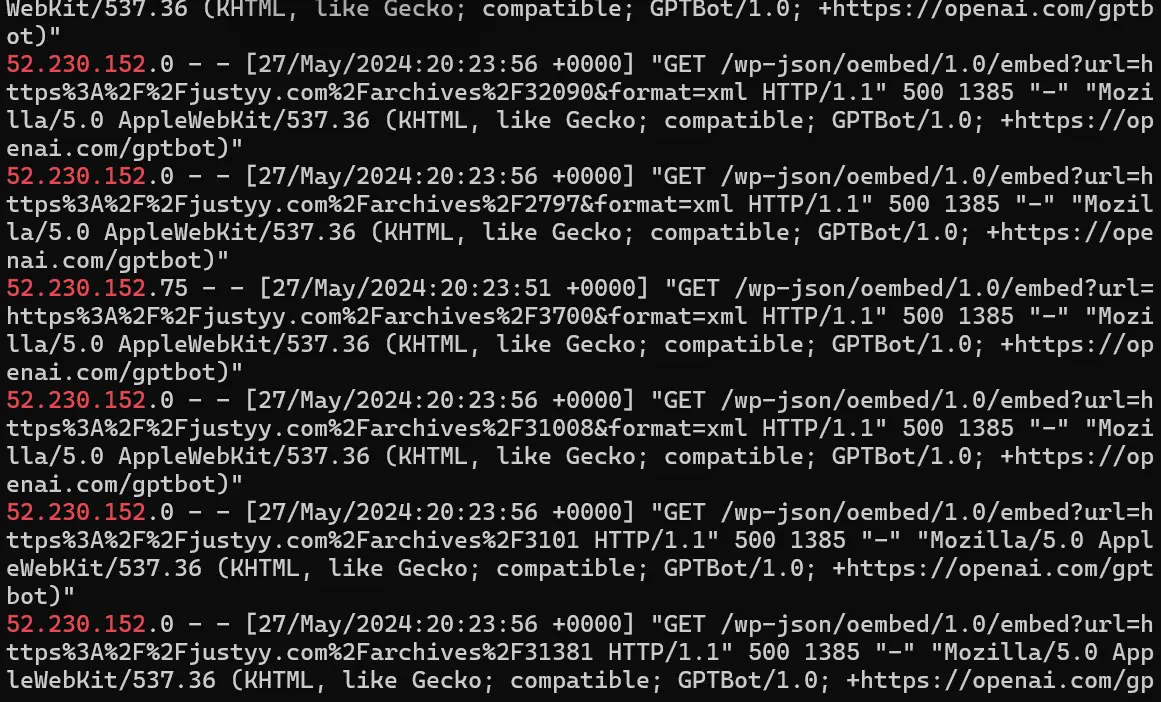
ChatGPT Bots (GPTBot) Access Log (Apache2)
Why You Should Stop the ChatGPT and Bytedance Bots Crawling Your Pages?
These bots are using your materials (information or data) for free. Their bots crawl your data and then use them to train their LLMs (Large Language Models). And they are causing extra load to your servers which can be avoided. Apart from ChatGPT from OpenAI, the Tiktok (a Bytedance Company) also has their LLM.
I don’t feel comfortable of them just taking information from my sites without compensating me, but if you do, feel free to whitelist them.
How You Should Stop the ChatGPT and Bytedance Bots Crawling Your Pages?
We have a few ways to block these greedy AI bots.
Block using robots.txt
The soft way to block them is to add the following in your robots.txt which is located at the / root of your website:
User-agent: GPTBot
Disallow: /

User-agent: Bytespider
Disallow: /
However, the Bots may choose not to obey them. For example: Stop Angry Bots such as 360Spider to Crawel My Site
Block using CloudFlare’s WAF rules
Another harder way is to block them by adding some firewall rules, for example you can add a CloudFlare WAF rule to block them:
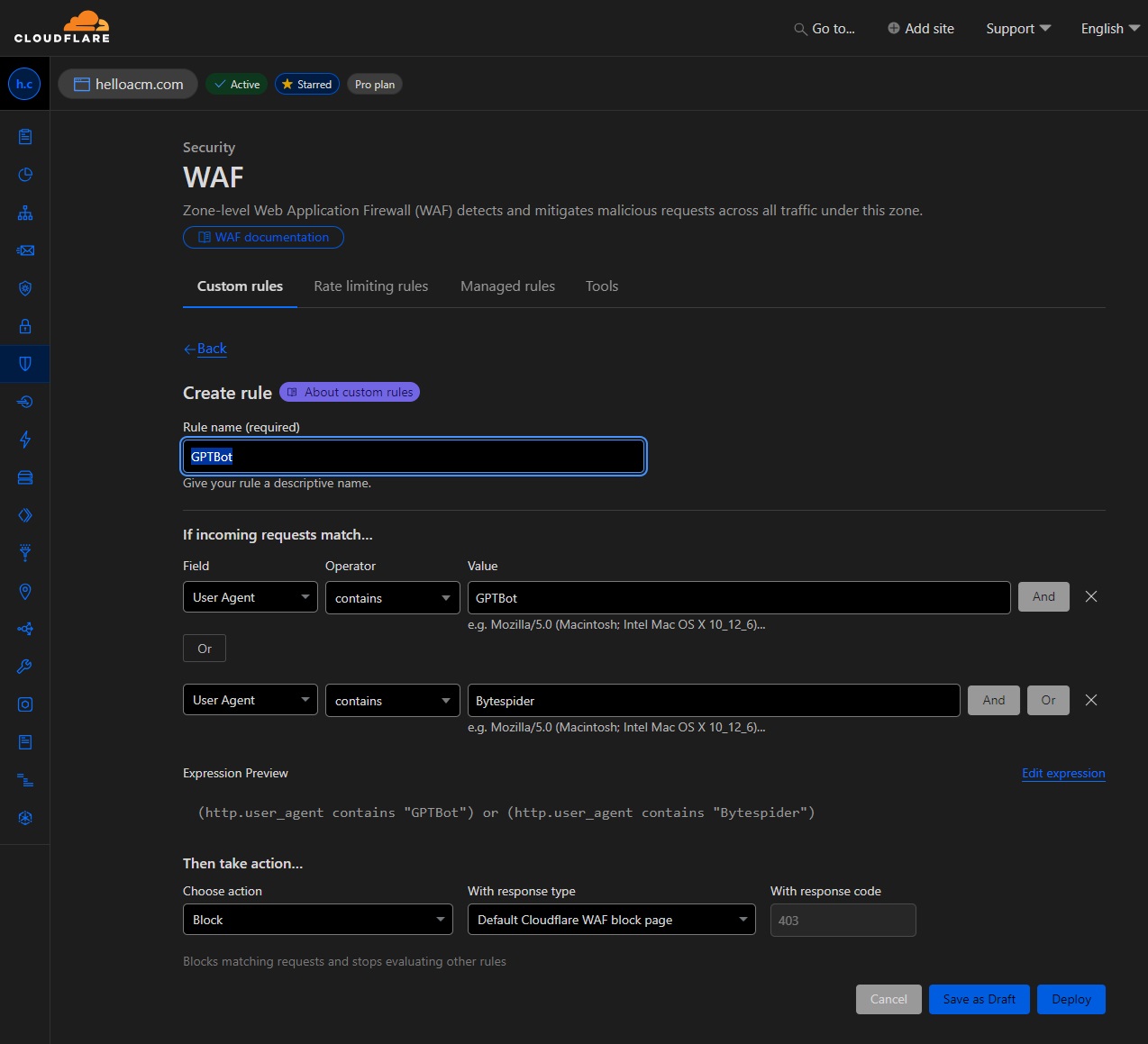
Adding a Cloudflare WAF security rule to block the Access from GPTBot and Bytespider Bot.
You can edit with the Expression Editor and to add as many rules as you want:
(http.user_agent contains "GPTBot") or
(http.user_agent contains "Bytespider") or
// You can add other constraints for example, block AmazonBot as well
(http.user_agent contains "Amazonbot") or
// You can add other type of constraints, for example, block WordPress Comment Bots replytocom
(http.request.uri contains "?replytocom=")
Block using HTTP Header
You can block specific user agents by setting appropriate HTTP headers in your server configuration. Here’s how you can do it for Apache and Nginx servers:
For Apache, add the following lines to your .htaccess file:
<IfModule mod_rewrite.c>
  RewriteEngine On
  RewriteCond %{HTTP_USER_AGENT} GPTBot [NC,OR]
  RewriteCond %{HTTP_USER_AGENT} Bytespider [NC]
  RewriteRule .* - [F,L]
</IfModule>
For Nginx Servers, add the following lines to your Nginx configuration file:
if ($http_user_agent ~* (GPTBot|Bytespider)) {
    return 403;
}
Block using Custom Middleware
If you have control over the server-side code of your application, you can write middleware to block these user agents.
Example in Express (Node.js):
app.use((req, res, next) => {
  const userAgent = req.headers['user-agent'];
  if (/GPTBot|Bytespider/i.test(userAgent)) {
    res.status(403).send('Forbidden');
  } else {
    next();
  }
});
Example in Django (Python):
from django.http import HttpResponseForbidden

class BlockBotsMiddleware:
    def __init__(self, get_response):
        self.get_response = get_response

    def __call__(self, request):
        user_agent = request.META.get('HTTP_USER_AGENT', '')
        if 'GPTBot' in user_agent or 'Bytespider' in user_agent:
            return HttpResponseForbidden('Forbidden')
        return self.get_response(request)
CloudFlare Bot Security Rule: Disable AI Bots
You can now block all AI bots at CloudFlare Dashboard one-click at Bots/Security.
Block Al Bots (Block bots from scraping your content for Al applications like model training. Blocking Al Bots will also block verified Al bots.

One Click Block AI Bots using CloudFlare Bots Security.
Using a combination of these methods can effectively block GPT-4 and ByteSpider bots from accessing your website. Implementing server-level blocks (via HTTP headers, firewall rules, or WAF) in conjunction with robots.txt directives can provide a more robust solution.
–EOF (The Ultimate Computing & Technology Blog) —
1002 wordsLast Post: The Major Security Flaws of Wirex (WirexApp) Exchange
Next Post: Implement and Test the Go Version of Redis Caching Class