Teaching Kids Programming: Videos on Data Structures and Algorithms
logo-chess-board
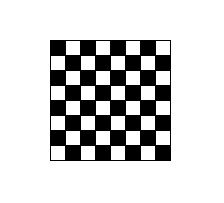
To draw a black-and-white chess board, we need the following three functions: draw a white square, draw a black (filled) square, and a function to draw the chess board.
We can import the turtle package to be able to draw on the canvas:
from turtle import *
Draw a (Empty White) Square
To draw a square is easy/straightforward:
def square(n):
    for _ in range(4):
        fd(n)
        rt(90)
Draw a (Black Filled) Square
We can draw N squares with size from 1 to n. This is however slow as the turtle needs to draw N squares:
def squareFilled(n):
    for i in range(1, n + 1):
        square(i)
A faster way would be to call the begin_fill and end_fill for turtle to fill the last drawn shape:
def squareFilled(n):
    begin_fill()
    square(n)
    end_fill()
Draw a Chess Board
Then, we can put these together. First draw a white square, then black square, then repeat 3 more times. And turn opposite to draw the next row.
def chess(n):
    for _ in range(4):
        for _ in range(4):
            square(n)
            fd(n)
            squareFilled(n)
            fd(n)
        rt(90)
        fd(n*2)
        rt(90)
        for _ in range(4):
            square(n)
            fd(n)
            squareFilled(n)
            fd(n)
        lt(180)
See pure LOGO code to draw a chess board: Draw a Chess Board using LOGO
–EOF (The Ultimate Computing & Technology Blog) —
395 wordsLast Post: Teaching Kids Programming - Check if a String is Prefix/Suffix in Python (Two Pointer Algorithm)
Next Post: Teaching Kids Programming - How to Draw a Spiral Shape using Python and Turtle Graphics?