I use HPZ800 server at home, which is almost never turned off or restarted. And I see this today:
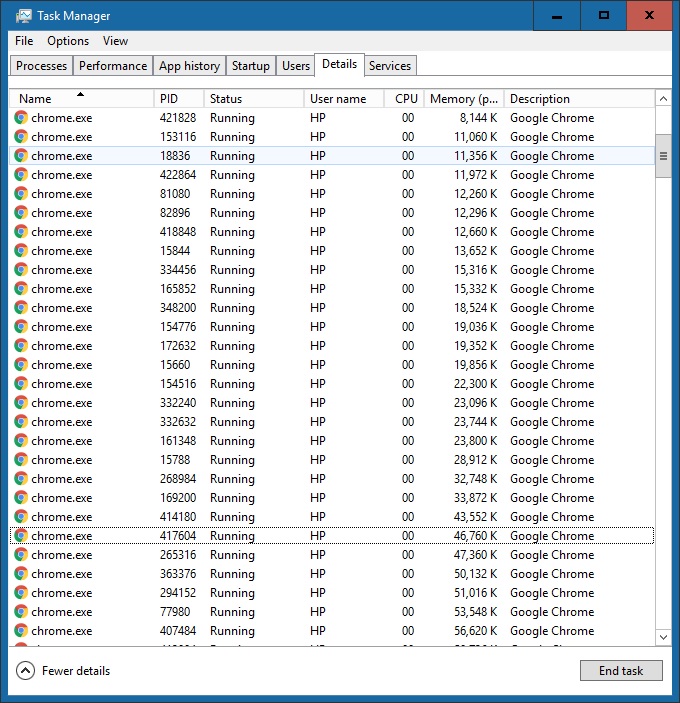
task-manager-details
And the Proceses Tab gives you rough idea how big memory is consumed by Chrome.exe
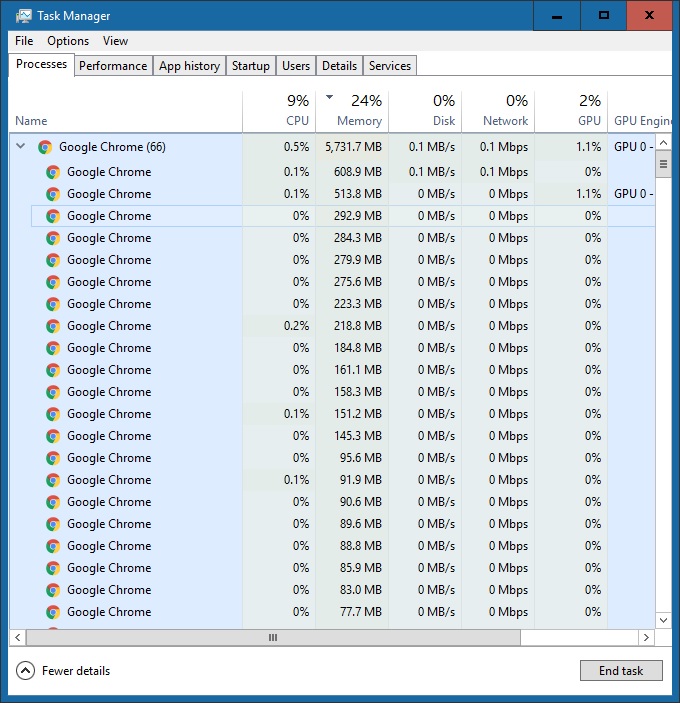
task-manager-processes
However, I’d like to have a command line/tool that prints the memory usage for a given application.
Github: https://github.com/DoctorLai/BatchUtils/blob/master/mem.cmd
@echo off
REM Calculate Total Memory Consumption for a Process

setlocal enabledelayedexpansion
set prog=%1

if [%1]==[] (
  echo Usage: %0 Process
  goto end
)
set sum=0
@for /F "tokens=5" %%i in ('tasklist ^| grep !prog!') do (
    set mem=%%i
    set mem=!mem:,=!
    set /a sum=sum+!mem!
)

echo Total Memory for !prog! is !sum! K
set /a sum=sum/1024
echo Total Memory for !prog! is !sum! MB
set /a sum=sum/1024
echo Total Memory for !prog! is !sum! GB

:end
The idea is to use for /f in windows command line shell that will split the lines by default delimiter space and with tokens=5 that will extract the memory usage for that process.
And we can use !variable:,=! to remove the , from the numbers and use set /a do sum up the number strings. However, you need to setlocal enabledelayedexpansion to allow variables updated at runtime (instead of pre-interpreted)
However, at Linux, you wouldn’t need this at all, because you can use wc, awk, cut etc existing tools to achieve the same task by piping these commands one by one i.e. Where there is a shell, there is a way!
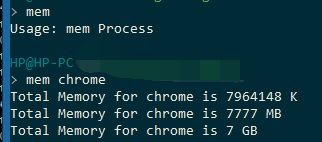
windows-mem-batch
I have to terminate all the chrome.exe processes after the Chrome becomes unresponsively hung by taskkill /im:chrome.exe /f command

Use Taskkill to terminate all chrome.exe processes on windows
This Mini PC is slow if many Chrome Tabs are opened at the same time.

Task Manager of a Mini PC – Intel(R) Core(TM) i5-8259U CPU @ 2.30GHz
CPU
Intel(R) Core(TM) i5-8259U CPU @ 2.30GHz
Base speed: 2.30 GHz
Sockets: 1
Cores: 4
Logical processors: 8
Virtualization: Enabled
L1 cache: 256 KB
L2 cache: 1.0 MB
L3 cache: 6.0 MBUtilization 64%
Speed 3.50 GHz
Up time 3:06:37:14
Processes 414
Threads 5212
Handles 2792388
–EOF (The Ultimate Computing & Technology Blog) —
647 wordsLast Post: Which is Bigger - The Number of Atoms in Universe or Complexity of Go?
Next Post: Cable TV Vs Streaming TV: Which is Better?