If you are logged in, the wordpress will show a top administrator bar by default. You can go to [Edit My Profile],
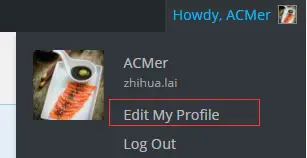
edit-my-profile-wp
And Untick ‘Show ToolBar When Viewing Site’:
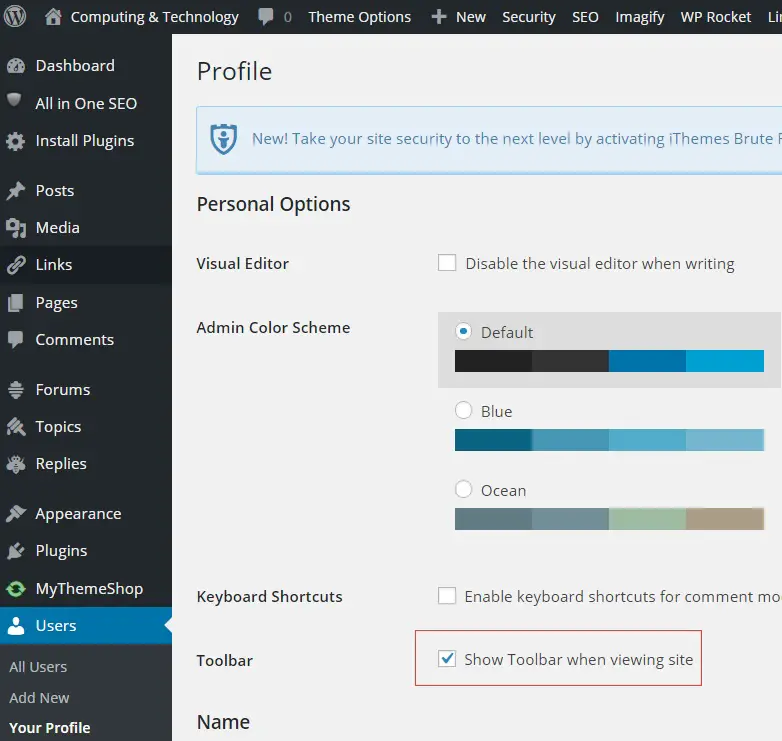
show-toolbar-when-viewing-site
However, some caching might also cache this Top Bar, such as [Cache Everything] from CloudFlare.
To hide the wordpress top bar for all users, you can add the following to the functions.php.
add_filter('show_admin_bar', '__return_false');
–EOF (The Ultimate Computing & Technology Blog) —
186 wordsLast Post: Does CloudFlare (Cache Everything) Affect the Adsense?
Next Post: How to Remove Product Review in Woocommerce/Wordpress?