Modern Applications Development often requires testing APIs. If you don’t have backend API developed, you can create Mock API services using SoapUI. You probably can do the same thing using PostMan, however which may require a premium subscription.
Creating Mocking API services help the Test Driven Development (TDD) where you can build the client first without worrying about the actual implementation of the server API.
Echo APIs are good. They are simple, and easy to implement. They will echo whatever is given (as parameter or the request body). For example, the API: https://helloacm.com/api/echo/?s=Hello! will echo a string Hello.
Creating a Mock Echo Get/Post API using SoapUI
Create a MockSerivce (either Rest of Soap), then add an Action. And then add a Mock Response.
In the response, click the script tab, and put the following to retrieve the querystring parameters of the Mock Request.
def paramValue = mockRequest.getRequest().getParameter("value")
context.paramValue = paramValue
log.info "context.paramValue:" + context.paramValue
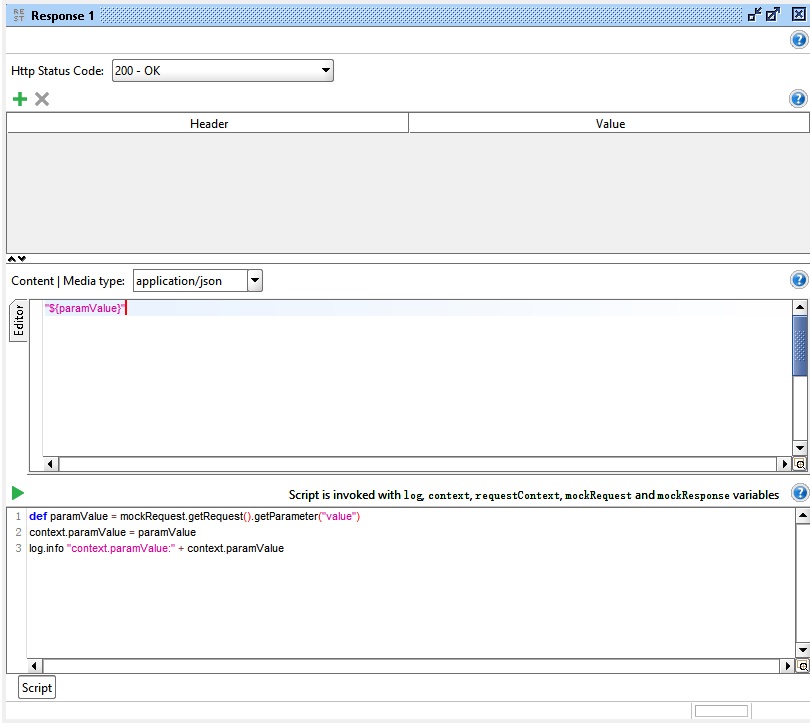
soapui-create-an-echo-mock-rest-api-get
The POST API allows you to retrieve the request Body. Copy over the below code in the script field of the Post API Response.
def requestBody = mockRequest.getRequestContent()
context.requestBody = requestBody
With requestBody and paramValue variables defined in the script, we can use the dynamic values in the mock responses.
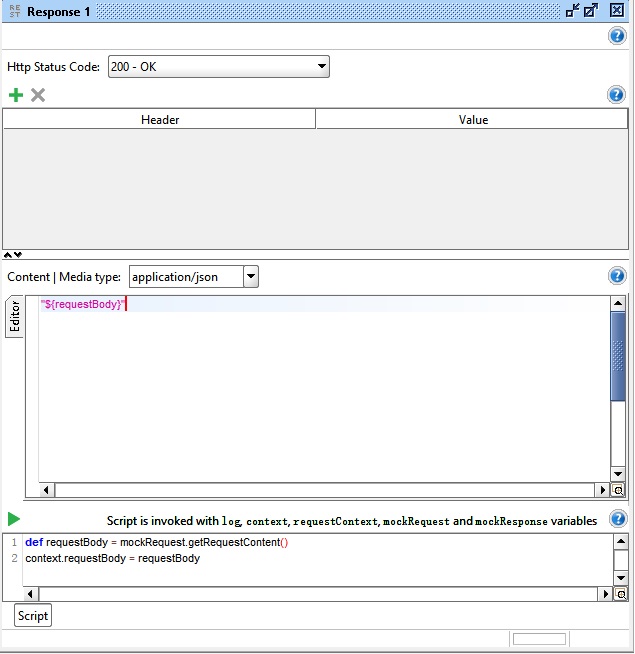
soapui-create-an-echo-mock-rest-api-post-get-requestcontent-requestbody
Once the Echo APIs are defined, we can start the APIs by clicking the green arrow button. The APIs will be running on port 8080.
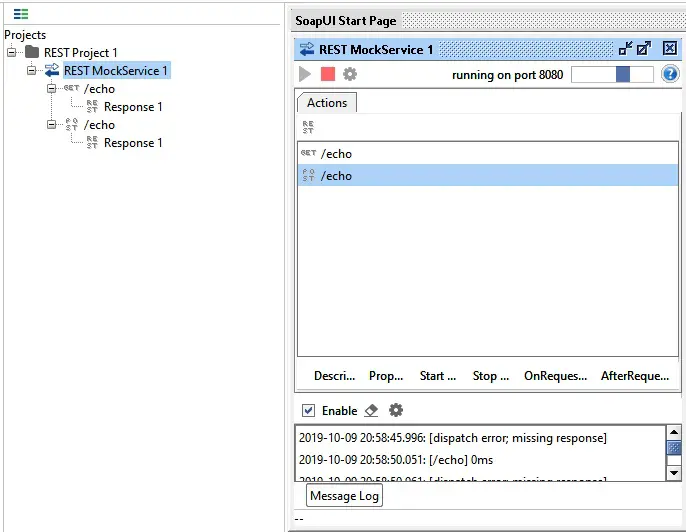
soapui-start-rest-mock-service-echo
Then, we can use the PostMan to send requests to test the above two Mock Echo APIs.
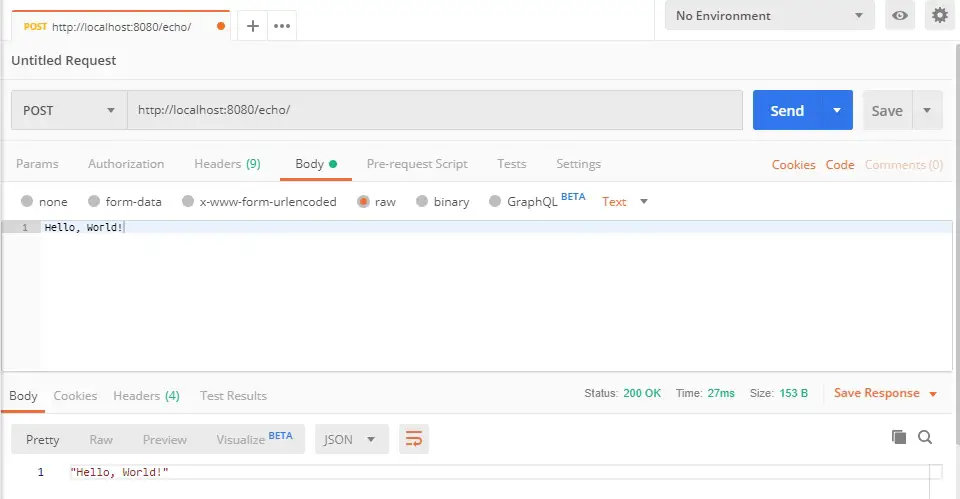
postman-sends-echo-request-api-via-post
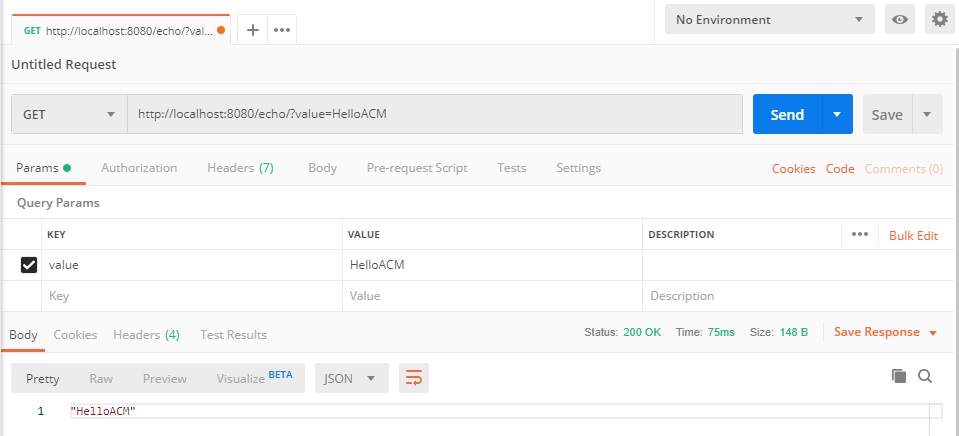
postman-sends-echo-request-api
The SoapUI allows you to create the dynamic APIs with dynamic responses. Below are some script to show the scripting capabilities.
// Script dispatcher is used to select a response based on the incoming request.
// Here are few examples showing how to match based on path, query param, header and body

// Match based on path
def requestPath = mockRequest.getPath()
log.info "Path: "+ requestPath

if ( requestPath.contains("json") ) {
    // return the name of the response you want to dispatch
    return "JSON Response"
}

// Match based on query parameter
def queryString = mockRequest.getRequest().getQueryString()
log.info "QueryString: " + queryString

if ( queryString.contains("stockholm") ) {
    // return the name of the response you want to dispatch
    return "Response Stockholm"
}
else if( queryString.contains("london") ) {
    // return the name of the response you want to dispatch
    return "Response London"
}

// Match based on header
def acceptEncodingHeaderList = mockRequest.getRequestHeaders().get("Accept-Encoding")
log.info "AcceptEncoding Header List: " + acceptEncodingHeaderList

if ( acceptEncodingHeaderList.contains("gzip,deflate") ) {
    // return the name of the response you want to dispatch
    return "GZiped Response"
}


// Match based on body
def requestBody = mockRequest.getRequestContent()
log.info "Request body: " + requestBody

if ( requestBody.contains("some data") ) {
    // return the name of the response you want to dispatch
    return "Response N"
}
API Testing Tools Software Download
PostMan: https://www.getpostman.com
SoapUI: https://www.soapui.org
Example SoapUI Project of Mock Echo APIs
The SoapUI project containing the above Echo APIs: GET and POST can be downloaded here: https://helloacm.com/static/soapui-rest-echo.xml
–EOF (The Ultimate Computing & Technology Blog) —
762 wordsLast Post: How to Partition Array into Disjoint Intervals?
Next Post: How to Count the Prime Number of Set Bits in Binary Representation?