Introduction to Logo Turtle
LogoTurtle is currently the FIRST and only one Chrome Extension for Turtle Graphics. I have also written a PHP version of Logo Interpreter in 2006 but that runs only on the server.
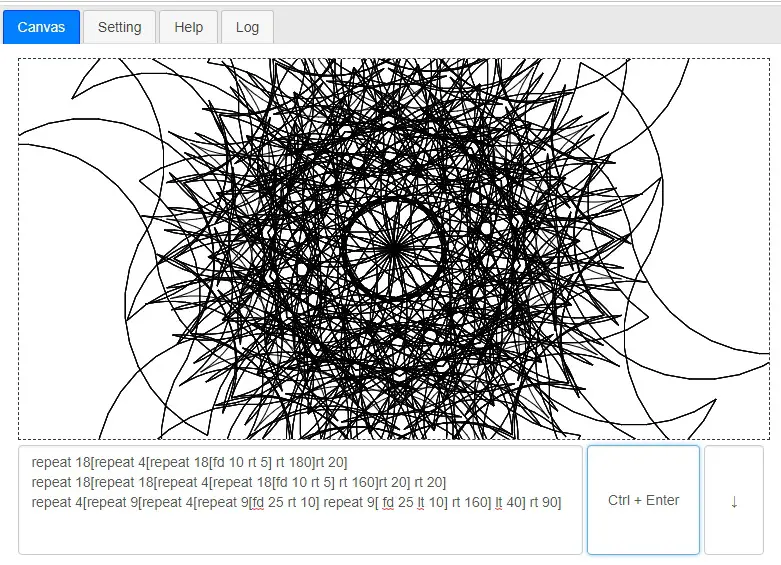
repeat 18[repeat 4[repeat 18[fd 10 rt 5] rt 180]rt 20]
repeat 18[repeat 18[repeat 4[repeat 18[fd 10 rt 5] rt 160]rt 20] rt 20]
repeat 4[repeat 9[repeat 4[repeat 9[fd 25 rt 10] repeat 9[ fd 25 lt 10] rt 160] lt 40] rt 90]
Logo Programming
Previous Contributions
- v0.0.12: Turtle Programming v0.0.12: Powerful For Loop, INC, DEC, and on NPM!
- v0.0.11: Turtle Programming: While Loop, Do/Else Loop and Unit Tests Added
- v0.0.10: Turtle Programming: Fractal Stars, Random, Console, Eraser, SetPC, SetXY, Examples, Wait, Bug Fixes and So much more!
- v0.0.9: Turtle Programming v0.0.9: Add SetX, SetY, Square and Rect!
- v0.0.8: Turtle Programming v0.0.8: /* */ comments, dotxy, and javascript!
- v0.0.7: Turtle Programming v0.0.7: Functions with Parameters + Recursion!
- v0.0.6: Turtle Programming v0.0.6: Adding Circle, MoveTo, Turn and Screen!
- v0.0.5: Turtle Programming v0.0.5: Adding IF/ELSE and STOP!
- v0.0.4: LogoTurtle: Make Variables and Comments
- v0.0.3: Turtle Graphics Programming Update: Adding text, jump, dot, fontsize, download as png
- v0.0.2: LogoTurtle v0.0.2: ShowTurtle, HideTurtle, Color, Width and Help.
- v0.0.1: Teach Your Kids Programming – The First Logo Interpreter (Turtle Graphics) in Chrome Extension!
LogoTurtle v0.0.13 New Features
This Commit has the following changes:
- RGB Color Syntax
- Global Procedures Editor
- Aliases: print, pc, setpencolor, setsc, setscreencolor and label
- ShortCodes Defined: FillPolygon, Polygon and Fill Square
- UI Language: zh-tw.
- Add ClearConsole
Screenshots of LogoTurtle
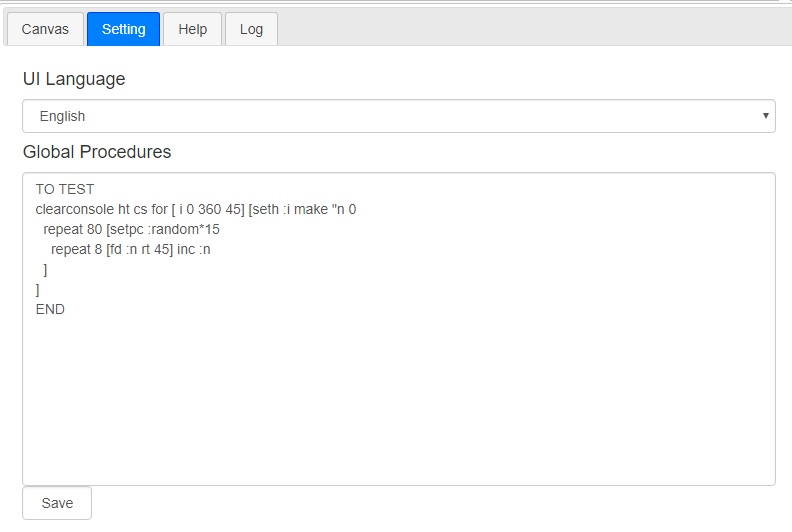
Code/Procedures are prepended to your source code.
global-procedures
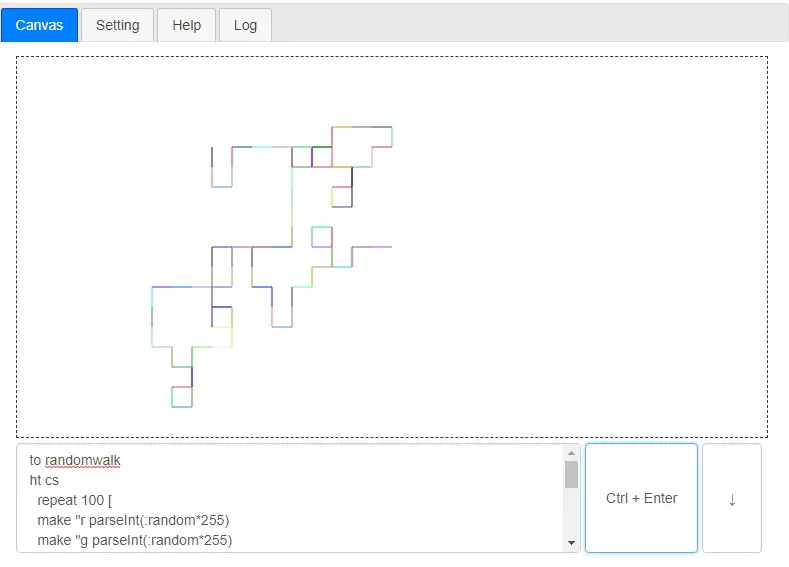
Random Walk with Random Coloring:
to randomwalk
ht cs
  repeat 100 [
  make "r parseInt(:random*255)
  make "g parseInt(:random*255)
  make "b parseInt(:random*255)
  pc [:r :g :b]
    make "r parseInt(:random*3)
    if :r==0 [fd 20]
    if :r==1 [rt 90 fd 20]
    if :r==2 [lt 90 fd 20]
  ]
end
randomwalk
logo-random-walk
Logo ShortCodes
This has been implemented in Javascript as:
// add a short function
_addShortCode(fun_name, parameters, body) {
    this.funs[fun_name] = [parameters, body];
}

// add some short funcs
loadShortCode() {
    this._addShortCode("polygon", ["corner", "len"],
        "repeat :corner " +
        "[fd :len rt 360/:corner]");
    this._addShortCode("fillsquare", ["size"],
        "make \"tmp :size repeat :size " +
        "[polygon 4 :tmp dec :tmp]");
    this._addShortCode("fillpolygon", ["corner", "size"],
        "make \"tmp :size repeat :size " +
        "[polygon :corner :tmp dec :tmp]");
}
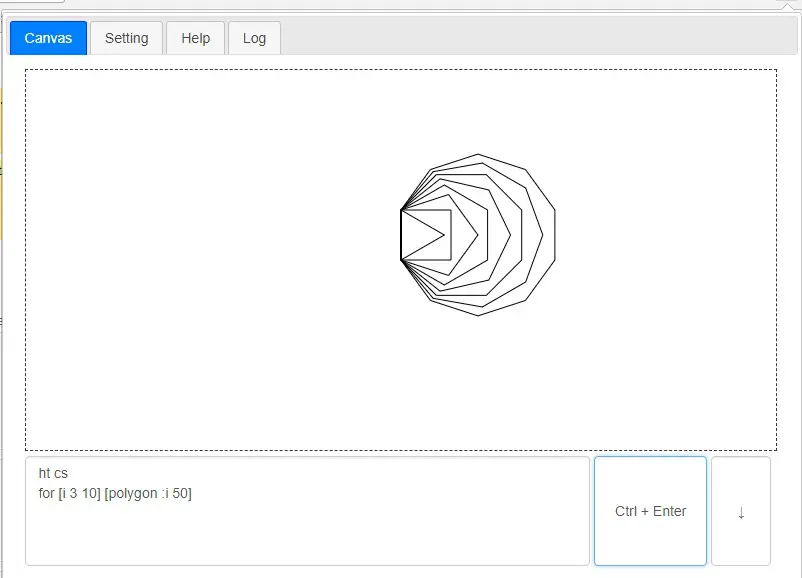
ShortCodes are pre-defined LOGO procedures for example: polygon is defined as
to polygon :corner :len
  repeat :corner [fd :len rt 360/:corner]
end
And you can just use it like a inbuilt command:
for [i 3 10] [polygon :i 50]
logo-polygons
And, to fill a square, we need to draw a few smaller squares:
to fillsquare :size
   make "tmp :size
   repeat :size [ polygon 4 :tmp dec :tmp]
end
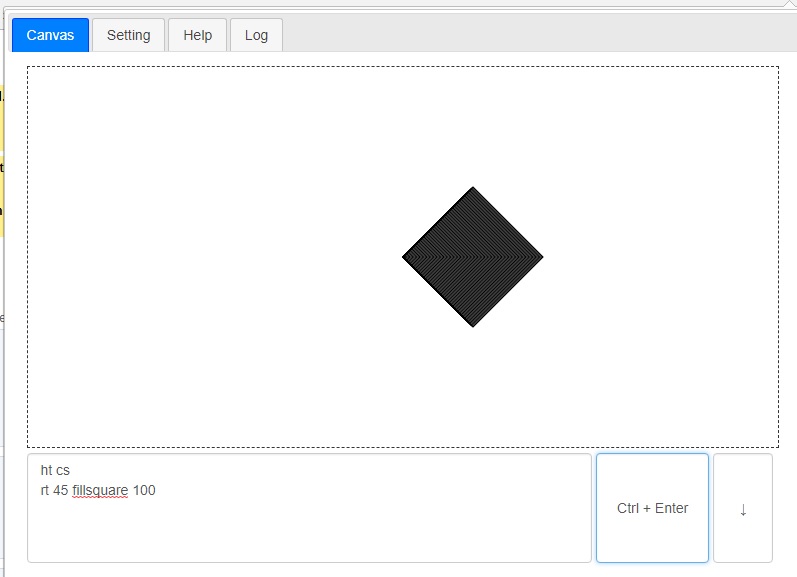
fill square in LOGO
LOGO RGB Syntax Parser in Javascript
case "setpc":
case "pc":
case "setpencolor":
case "setcolor":
    if (word_next == '[') {
        find_next_body = getNextBody(s, i, U);
        if (find_next_body.right >= U) {
            this.pushErr(word, LOGO_ERR_MISSING_RIGHT);
            return false;
        }
        let rgb = s.substring(find_next_body.left + 1, find_next_body.right);
        let rgb_arr = rgb.split(' ').map(item => item.trim()).filter(x => x != '');
        if (rgb_arr.length != 3) {
            this.pushErr(word, LOGO_ERR_INVALID_RGB, rgb);
            return false;
        }
        let rgb_r = this.evalVars(rgb_arr[0]);
        let rgb_g = this.evalVars(rgb_arr[1]);
        let rgb_b = this.evalVars(rgb_arr[2]);
        this.logo.setLineColor("rgb(" + rgb_r + "," + rgb_g + ", " + rgb_b + ")");
        i = find_next_body.right + 1;
    } else {
        word_next = this.evalVars(word_next);
        if ((word_next === '') || (!isNumeric(word_next))) {
            this.pushErr(word, LOGO_ERR_MISSING_NUMBERS, word_next);
            return false;
        }
        this.logo.setPc(parseInt(word_next));
        i = y.next;
    }
    break;
Roadmap of Chrome Extension: Logo Turtle
I believe LogoTurtle is more or less in beta now. Therefore, bug Fixes and any suggestions, please shout @justyy
Technology Stack
If an App can be written in Javascript, eventually it will be written in Javascript.
Chrome Webstore
Install the Turtle Programming for Kids Now!
Contribution Welcome
Github: https://github.com/DoctorLai/LogoTurtle
- Fork it!
- Create your feature branch: git checkout -b my-new-feature
- Commit your changes: git commit -am ‘Add some feature’
- Push to the branch: git push origin my-new-feature
- Submit a pull request.
–EOF (The Ultimate Computing & Technology Blog) —
Last Post: CoinTools Update: Adding News Feed, Average Series in Historical Graphs
Next Post: CoinTools Update: Showing Top Pairs of Cryptocurrency