IFTTT = If this then that. IFFF is an easy but powerful way to connect between internet of things. With the Channel Maker, you can send a trigger easily because it can be triggered by simply visit (GET) a web URL. The following shows you how to Tweet when Server Restarts using IFTTT – Maker Event (Trigger).
First of all, you would need add the channel ‘Maker’ in IFTTT.

ifttt-maker
To trigger event, you can send EVENT name to a URL using GET.
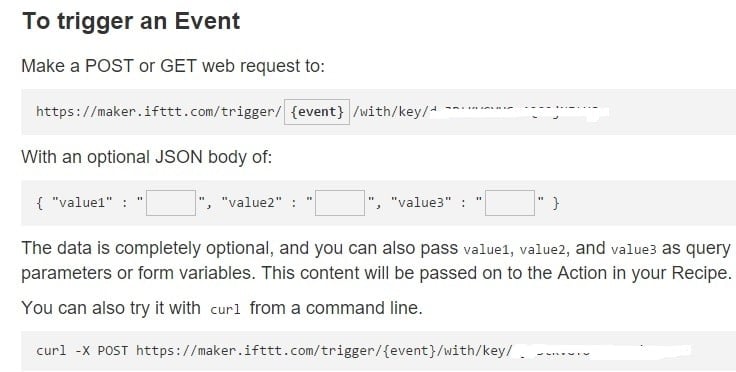
How to Trigger event using IFTTT-Maker
The recipe has been created, like this:
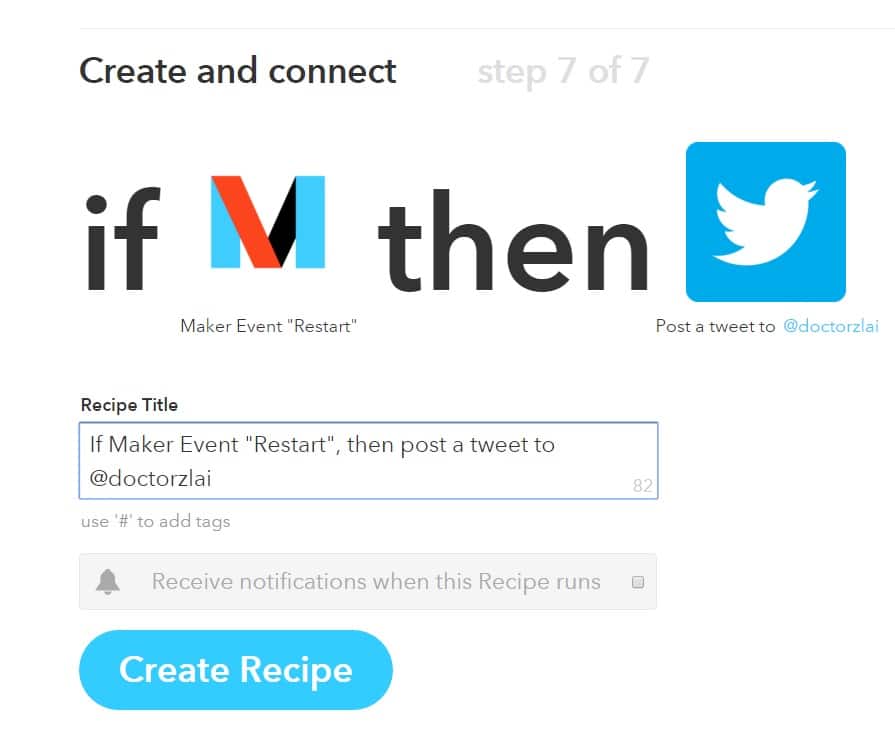
create a recipe ifttt-restart
ifttt-maker-event
When server restarts, it will post a tweet:

Tweet has been posted
You can also manually trigger the event, e.g. “Restart”, by visiting the URL:
curl -X GET https://maker.ifttt.com/trigger/{Restart}/with/key/REPLACE_KEY_HERE
Put this command at crontab -e so that at system reboots, you’ll get a tweet.
@reboot curl -X GET https://maker.ifttt.com/trigger/{Restart}/with/key/REPLACE_KEY_HERE
This Maker channel acts bi-directional, the above example is a receiving usage. In next post, I’ll show you how to actively make a web request.
You can also add parameters to invoke the IFTTT maker channel, for example:
@reboot curl -X POST -H "Content-Type: application/json" -d '{"value1":"server at USA"}' https://maker.ifttt.com/trigger/{Restart}/with/key/REPLACE_KEY_HERE
IFTTT maker allows at most 3 values i.e. value1, value2 and value3 to pass via JSON. And on the Maker configuration, you can add ingredients:

maker-configuration of value1, value2, and value3 parameters
–EOF (The Ultimate Computing & Technology Blog) —
Last Post: Schema 3.0 - Don't let google penalize your slow loading website
Next Post: Algorithms to Check if Integer is a Power of Three