
Microsoft Windows
Windows System 1
In this all started in Windows. The original Windows 1 released in November 1985, is Microsoft’s first real attempt in the 16’s graphical user interface. It is worth noting, because it relies heavily on before using the mouse, the mouse is a common computer input devices. To help users familiar with this strange entry system, Microsoft includes a game, Othello (screenshot visible) depends on the mouse control, rather than a keyboard.
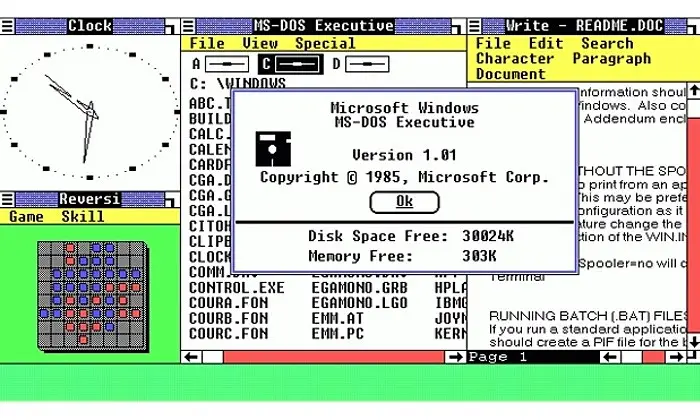
windows1.0
Window 2
Two years after Windows 1 was released, Microsoft’s Windows 2 replaced it in December 1987 for the Windows 2 big innovation is that windows can overlap each other, but also introduced to minimize or maximize the window, rather than “iconising” or “ability enlarge”. Control panel, in a variety of system settings and configuration options gathered in one collection, was introduced in Windows 2 and is still being used nowadays.
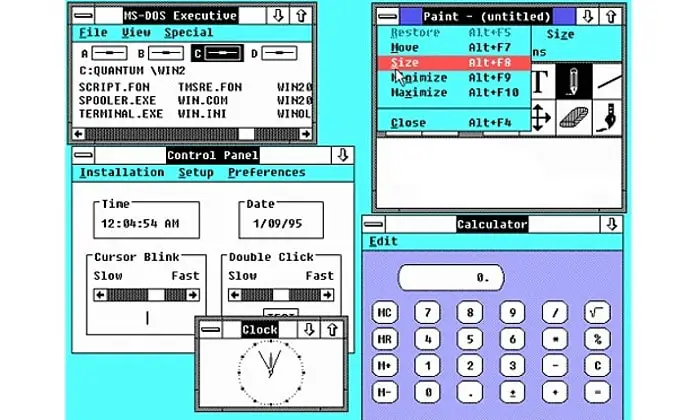
windows2.0
Windows 3.0
Windows 3 is the first Windows that requires a hard drive. And it is the first windows that runs MS-DOS programs in Windows, which brings multi-tasking ability of legacy applications, and supports 256 colors to bring a more modern, colorful appearance interface. It launched the card game.
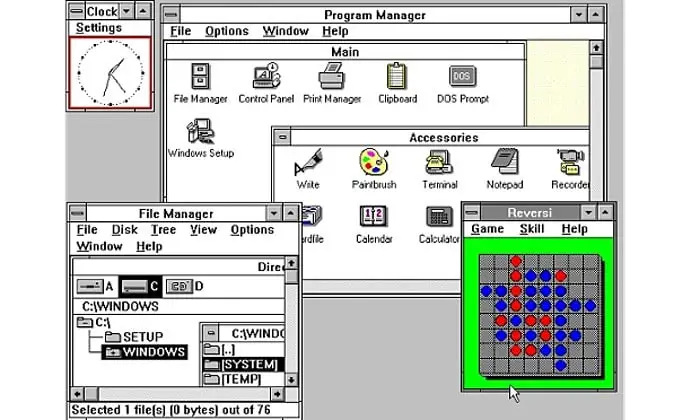
windows3.0
Windows 3.1
Windows 3.1 released in 1992 is a milestone, because it introduced Windows TrueType fonts for a viable delivery platform for the first time. Game Minesweeper was introduced for the first time.
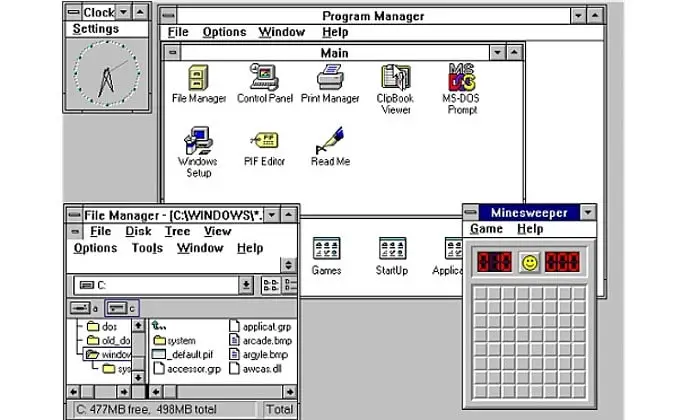
windows3.1
Windows 95
Windows 95 comes in August 1995, and brings with it the first-ever start button and Start menu. Windows 95 also introduced a 32-bit environment, taskbar, and focus on multi-tasking. MS-DOS still plays an important role for Windows 95, which requires it to run some programs and content.
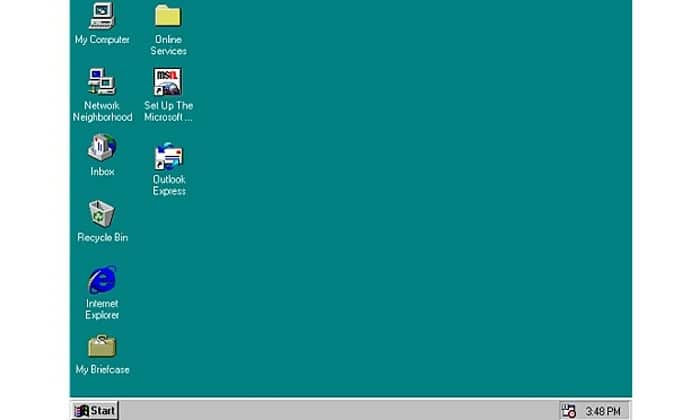
windows95
Windows 98
IE 4.0, Outlook Express and Windows Address Book, Microsoft Chat and the NetShow player are introduced in Windows 98.
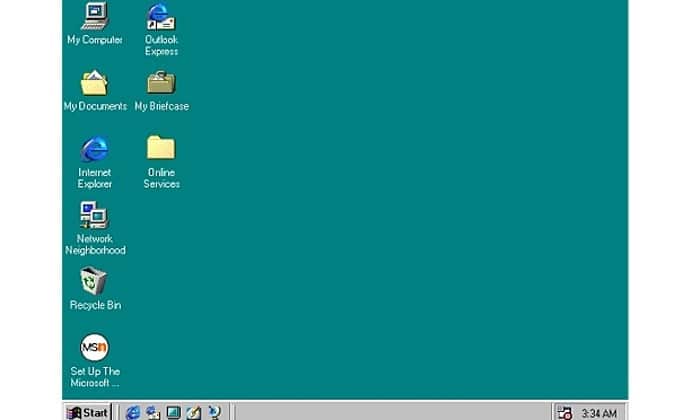
windows98
WINDOWS ME
Considered the lowest point in the Windows family, many – at least until they see Windows Vista – Windows Millennium Edition is the last Windows-based MS-DOS, Windows 9x in the last line. September 2000 release, which is twinned with Windows 2000, for the enterprise market, consumer target operating system. It introduces some important concepts to consumers, including more automated system recovery tools.
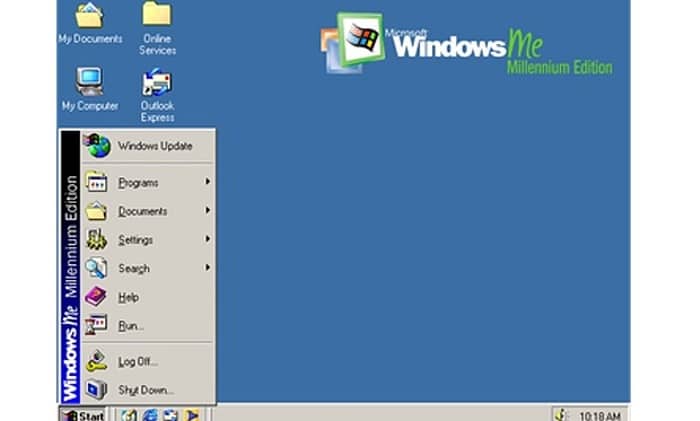
windowsme
Windows 2000
Windows 2000 was released in February 2000, and according to Microsoft’s business-oriented system for Windows NT and it later became the foundation of Windows XP.
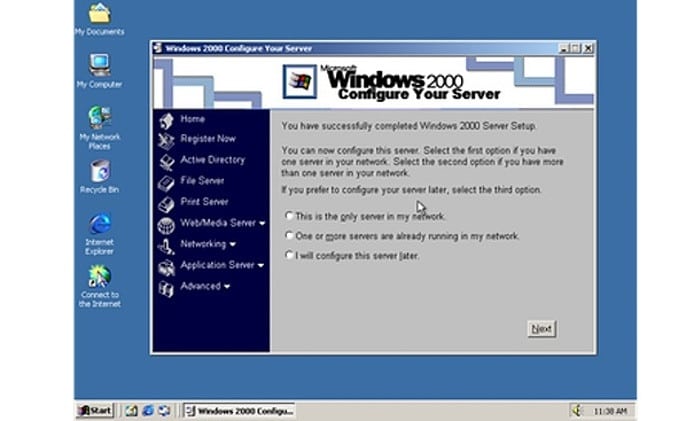
windows2000
Windows XP
One of the best versions of Windows, Windows XP, released in October 2001 brought Microsoft’s online business and consumer operating systems row under one roof. It is based on Windows NT, such as Windows 2000, but it will bring the user-friendliness of the elements from Windows ME. Start Menu and Taskbar have a visual transformation, so that familiar green start button, blue taskbar and Vista wallpaper, and a variety of shadows and other visual effects. Windows XP is the longest running Microsoft operating systems, see the three major upgrades and support until April 2014.
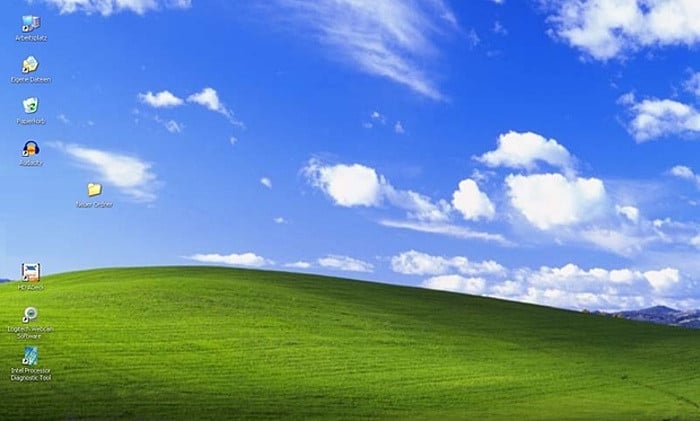
windowsxp
Windows Vista
Windows XP, insisted in the end the nearly six years before being replaced in January 2007 of an updated Windows Vista Vista Windows look and feel more focused on transparent elements, search, and security. This is a sport utility vehicle, and saddled with hundreds of applications for permission to ask the user in the “User Account Control” – in the Trustworthy Computing initiative now means that the user must approve or reject the plan to try to make all kinds of changes in the results. It led to complacency, and people click “Yes”, almost everything.
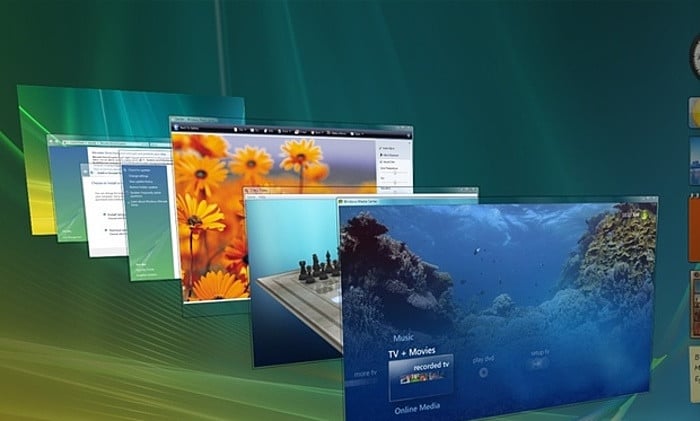
windowsvista
Windows 7
Many people believe that what should be Windows Vista, Windows 7 was first released in October 2009 its purpose was to solve all the problems by Vista and criticism, with a slight adjustment of its appearance and humane function and lower concentrations dialogue window “overload.” It is faster, more stable, easier to use, for most users and businesses operating systems.
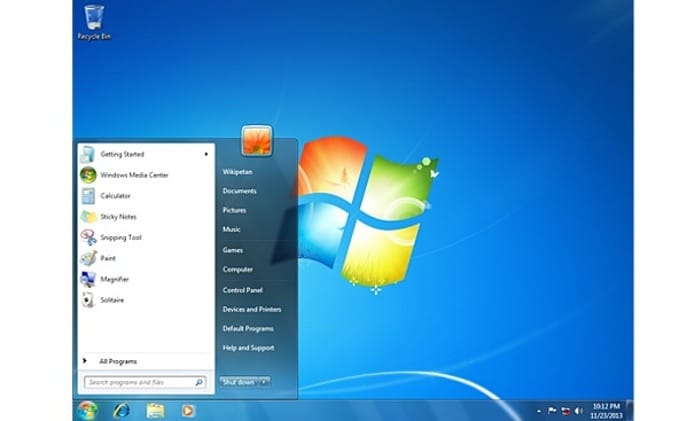
windows7
Windows 8
October 2012 release of Windows 8 is the most radical overhaul of the Microsoft Windows interface, ditching the Start button and Start menu in favor of multi-touch-friendly Start screen. The new tile interface and live tile saws icon, which appears in the list of information usually associated with small parts related to the replacement of the program and a list of icons. Windows 8, than previous versions of Windows faster, including the new, faster USB 3.0 device support.
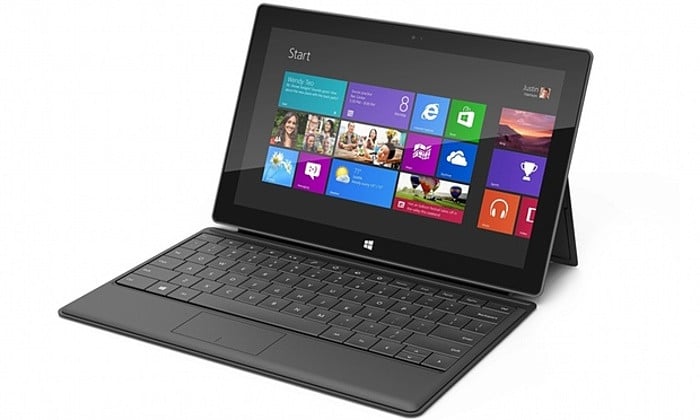
windows8
Windows 8.1
Microsoft, October 2013 launched a free point in publishing to Windows 8, Windows 8.1 software update annually toward change, including from Microsoft and Microsoft turn around the new visual interface of the first step. The re-introduction of the Start button Windows 8.1, which brings the start screen from the Windows desktop view 8.1.
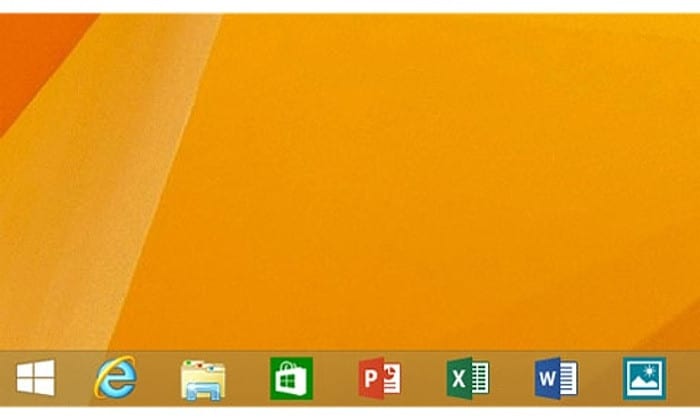
windows8.1
Windows 10
Announced in 2014, but is not available on September 30 by the year 2015, Windows 10, represented a step forward in Microsoft’s U-turn, back to the Start menu, more balanced, traditional desktop computer users. Its purpose is to unify the multiple devices, including Windows phones and tablets, and can download and run on all Windows platform for all Windows devices universal application from the Windows Store.
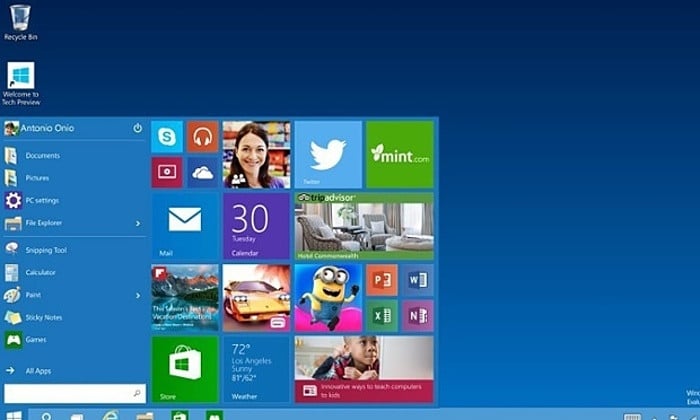
windows10
Windows 11
Windows 11 was officially released on October 5, 2021.
Windows 11, the latest operating system from Microsoft, brings a fresh and modernized user experience designed to enhance productivity and creativity. Featuring a redesigned Start Menu, a centered taskbar, and improved performance, Windows 11 offers seamless integration with Microsoft services and new tools like Snap Layouts for better multitasking. With a focus on security and accessibility, Windows 11 also includes support for DirectStorage and Auto HDR for gamers, making it a versatile platform for work, play, and everything in between.

Microsoft Windows 11 OS
Windows Tools/Tips
- When Your PC Slows Down, It Might Be Time for an Update
- Use DirectX Diagnostic Tool (dxdiag) to View System Information
- Enabling the Debug Console for WSL2 (Windows Subsystem for Linux)
- Hot Weather Causes Intel CPU Throttle and NVidia GPU Crashes on Windows 11 (Blue Screen)
- Two Windows Tips: Turn Off Delivery Optimization and Tweak Privacy Settings
- How to Enable the "God Mode" of Control Panel on Windows?
- Boost System Performance By: Switching to Best Performance Power Mode at Power & Battery on Windows OS
- Laptop Battery Power Drained But Failed to Sleep on Microsoft Windows Surface Studio Pro
- How to Fix a Slow/Incorrect Clock on Windows?
- The Ubuntu Sub System (New Bash Shell) in Windows 10
- How to Lock out (WorkStation) on Windows?
- How to Use Windows 10 - Storage Space to Combine Multiple Physical Harddrives?
- From Windows 1.0 to Windows 10
–EOF (The Ultimate Computing & Technology Blog) —
1402 wordsLast Post: How to Analyze Website by using the Wappalyzer (Chrome Extension)?
Next Post: Fix Insecure FeedBurner Form for Schema Theme