I’ve signed-up a DSL broadband before I have purchased a wireless router. After I plugged in the router, it seems remembering the MAC address of my laptop, which disables the accesses from other wireless devices, e.g. iphones.
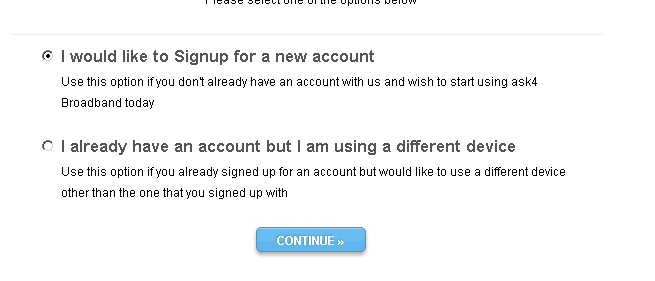
Actually, all you need to do is to login into your wireless router (using cable from your laptop whose MAC is remembered and registered by the ISP), the admin URL is 192.168.0.1, and clone the MAC address of the WAN so that it has the same MAC address as your laptop.
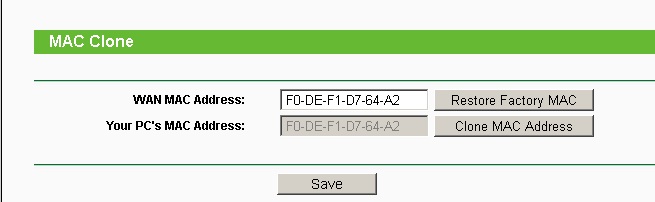
This will make ISP believe you are still using your laptop although you are already connected to wireless router. In this way, many other devices can be connected to internet at the same time without having to purchase their ‘4connect’ add-on.
–EOF (The Ultimate Computing & Technology Blog) —
207 wordsLast Post: Definition of Recursion
Next Post: Compute PowerMod a^b%n
Login into your wireless router (using cable from your laptop whose MAC is remembered and registered by the ISP), the admin URL is 192.168.0.1, and clone the MAC address of the WAN so that it has the same MAC address as your laptop.