Windows is full of COM (Component Object Model), and many software (such as Microsoft Office) provides the COM automation object, that can be easily programmed.
The following shows an example of using Word from VBScript at WSH (Window Script Hosting) environment. The Word.Application is the automation object to create.
' create word object
Set objWord = CreateObject("Word.Application")

objWord.Visible = True

' add a document
Set objDoc = objWord.Documents.Add()

' obtain selection handler
Set objSelection = objWord.Selection

' set the font and add a text paragraph
objSelection.Font.Name = "Arial"
objSelection.Font.Size = "18"
objSelection.TypeText "Network Adapter Report"
objSelection.TypeParagraph()

' set the font and add a text paragraph
objSelection.Font.Size = "14"
objSelection.TypeText "" & Date()
objSelection.TypeParagraph()

' bring to front
objWord.Application.Activate
objWord.Application.WindowState = wdWindowStateMaximize
CreateObject("WScript.Shell").AppActivate objDoc.Name
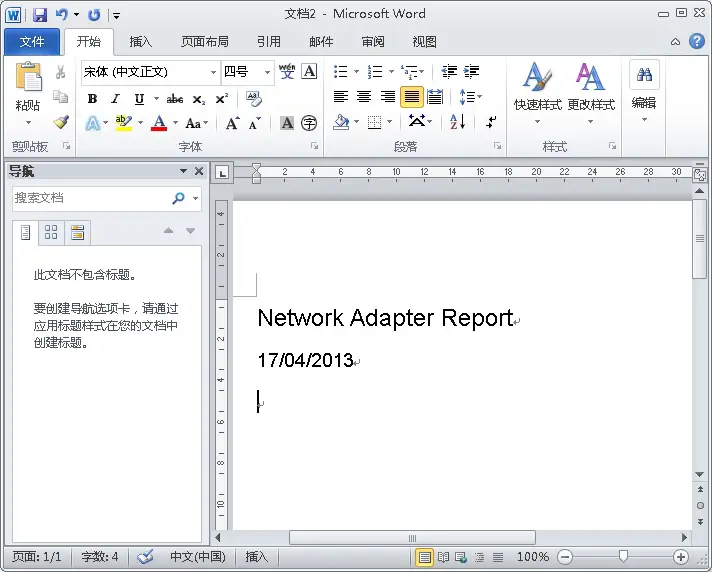
You see, very straightforward and easy to do the automation tasks. The above script produces the following.

–EOF (The Ultimate Computing & Technology Blog) —
Last Post: Fast Integer Log10
Next Post: Copy Function in Delphi XE3